Creating an accessible website goes beyond technical requirements; it’s a commitment to making your content usable for everyone, including people with disabilities. Website accessibility OKC businesses helps businesses provide inclusive, intuitive, and user-friendly digital experiences. Prioritizing accessibility improves navigation, broadens your audience, builds trust, and strengthens overall user engagement. Meeting accessibility standards also supports SEO and engagement, making your website both professional and welcoming.
Why Should Business Prioritize Website Accessibility OKC?
Website accessibility directly affects your audience and overall business performance. Making your site usable for people with vision, hearing, motor, or cognitive impairments improves usability for all visitors, from faster load times to smoother navigation. Accessible websites increase reach, enhance search performance with descriptive links, alt text, and structured headings, and reinforce your brand as inclusive and user-focused. Following WCAG guidelines helps ensure your website meets legal accessibility obligations, making accessibility a necessary investment for your business.
Please note: We are a design studio, not legal professionals. We always recommend consulting with an attorney for specific legal advice regarding your site’s accessibility.
Understanding Accessibility Standards
Accessibility standards, such as the WCAG, provide a framework to make web content perceivable, operable, understandable, and robust. Following these principles helps websites function effectively for all users, including those relying on screen readers or keyboard navigation.
The four foundational principles of website accessibility OKC include:
1. Perceivable
Content should be presented in ways users can easily perceive. This includes providing descriptive text alternatives for images, captions and transcripts for multimedia, and maintaining a clear visual hierarchy that helps users understand and navigate information effectively.
2. Operable
Users should be able to navigate and interact with your website design OKC without any barriers. Ensure full keyboard accessibility, design intuitive menus, links, and interactive controls, and avoid content that flashes rapidly or unpredictably, which could trigger seizures. These measures create a smooth, safe, and inclusive browsing experience for all visitors.
3. Understandable
All information and interface elements should be easy to understand and navigate. Use consistent language, provide clear instructions for forms and interactive features, and design predictable, intuitive navigation. These practices help users complete tasks confidently, reduce errors, and create a smoother, more user-friendly experience across your website.
4. Robust
Websites should operate smoothly across all devices, browsers, and assistive technologies. Using proper HTML coding, semantic markup, responsive design, and screen reader–friendly features ensures content is accessible and functional for every visitor. Consistently implementing these practices creates a seamless, inclusive, and reliable user experience for all users.
Applying these principles ensures your website design OKC is not only compliant but user-friendly for every visitor.
The 4 Types of Accessibility Every Website Business Owner Should Know
To build truly inclusive websites, it’s essential to understand the four primary types of accessibility needs: visual, hearing, motor, and cognitive. Each type requires thoughtful design decisions and technical solutions that allow all users to navigate and interact with content effectively.
- Visual accessibility supports users with blindness, low vision, or color blindness. This includes providing alt text for images, strong color contrast, scalable text, and compatibility with screen readers and magnification tools.
- Hearing accessibility makes content usable for people who are deaf or hard of hearing. Captions, transcripts, and visual alternatives for audio content allow users to access information without relying on sound.
- Motor accessibility addresses the needs of users with limited mobility or dexterity. Websites should support keyboard-only navigation, provide adequately sized clickable elements, and avoid interactions that require precise or rapid movements.
- Cognitive accessibility focuses on users with learning disabilities, attention disorders, or memory challenges. Clear language, consistent layouts, predictable navigation, and minimized distractions help improve comprehension and usability.
Understanding these four accessibility types and applying relevant WCAG guidelines allows professionals to design experiences that are not only compliant but genuinely inclusive for all users.
8 Tips to Make Your Website More Accessible
Improving website accessibility requires intentional planning and collaboration with experienced website developers near me. Follow these practical steps to help your website become more inclusive, user-friendly, and compliant with accessibility standards:
1. Conduct an Accessibility Audit
Begin by reviewing your existing website to identify accessibility gaps and usability issues that may prevent users from navigating or interacting with your content effectively. An accessibility audit evaluates elements such as color contrast, keyboard navigation, screen reader compatibility, heading structure, and interactive components. Working with a professional web designer allows you to receive a detailed assessment and a prioritized roadmap for improvements that align with accessibility standards and overall user experience goals.
2. Optimize Visual Design
Visual design plays a major role in accessibility and usability. High-contrast color combinations, readable and scalable fonts, and consistent layouts across pages help users process information with less effort. When accessibility is considered early in website design OKC, your web designer can create the design in a way where visual hierarchy, spacing, and predictable patterns work together to support users with visual, cognitive, and motor needs. Thoughtful visual design reduces confusion, improves engagement, and creates a smoother experience for every visitor.
3. Add Text Alternatives
All non-text content should include clear, meaningful alternatives so users relying on assistive technologies can fully understand and interact with your website. This includes writing descriptive alt text for images, including text captions and written transcripts for all audio and video content, and applying ARIA labels to interactive elements. These practices ensure screen readers and other assistive tools can accurately interpret content, improve accessibility compliance, enhance usability, and create a more inclusive experience for all visitors, regardless of ability or device.
4. Improve Navigation and Interaction
Using clear menus, descriptive links, breadcrumbs, and a logical tab order allows users to navigate your website easily and confidently, including those who rely on keyboard navigation. These elements create predictable pathways through your content, reducing confusion and frustration. Visible focus indicators clearly show users where they are on the page, helping them understand their location at all times and move between sections smoothly, resulting in a more accessible, intuitive, and user-friendly browsing experience.
5. Test Across Devices and Assistive Technologies
Accessibility can vary significantly depending on the device, browser, or assistive technology being used. Testing your website on mobile phones, tablets, and desktop devices helps ensure layouts, navigation, and content remain usable across screen sizes. It’s equally important to test across different browsers and with assistive tools such as screen readers like JAWS or NVDA. Regular testing helps identify usability gaps early and ensures a consistent, reliable experience for all users.
6. Train Your Team
Accessibility is an ongoing commitment rather than a one-time project. Training your team on accessibility best practices helps ensure that new content, design updates, and media additions continue to meet established standards. When accessibility awareness is built into everyday workflows, teams are better equipped to avoid introducing barriers over time. Consistent education supports long-term compliance, improves usability, and helps maintain an inclusive experience as your website evolves.
7. Collaborate With Website Developers Near Me
Partnering with experienced web design and development professionals allows accessibility to be integrated into every stage of your website. Working with website developers near me also makes it easier to conduct regular audits, implement improvements efficiently, and stay aligned with current accessibility standards. Professional collaboration ensures accessibility considerations are addressed correctly, supporting usability, performance, and compliance while creating a website that works effectively for all users.
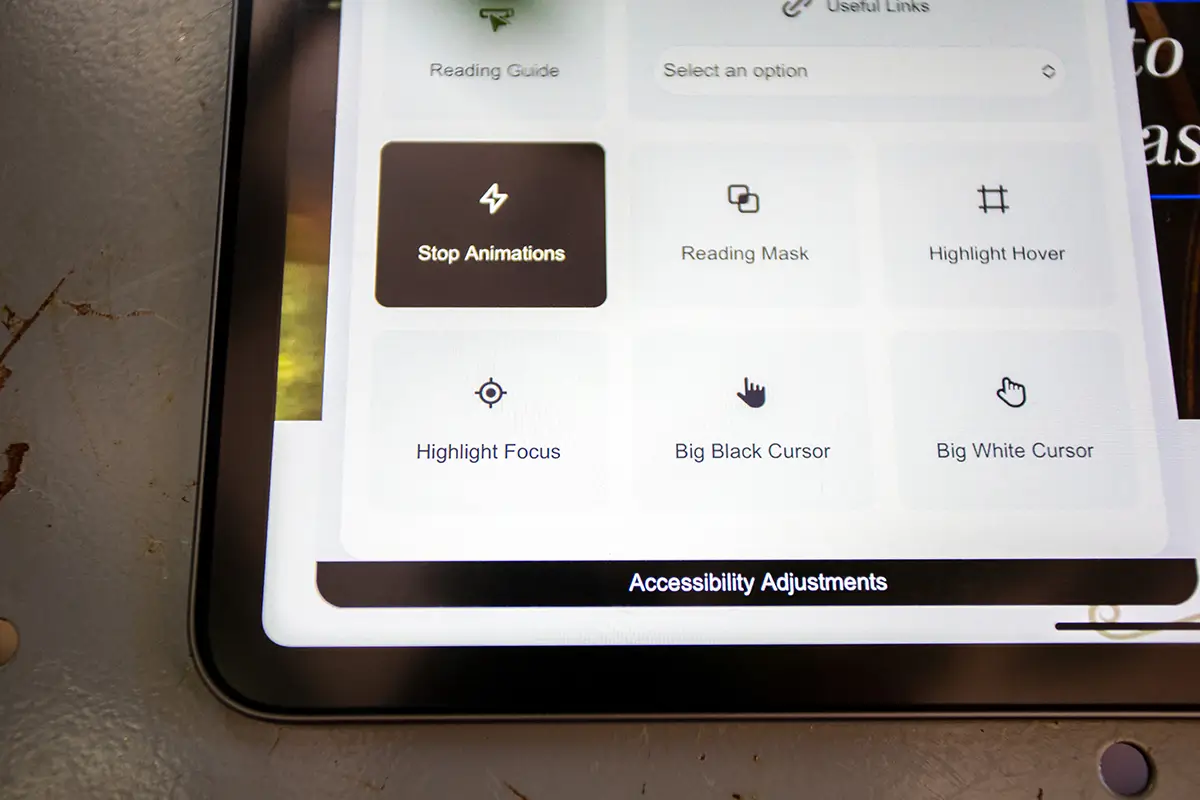
8. Include Essential Accessibility Features
Your web designers can integrate features that improve usability and compliance. Key features to enhance usability for all users includes:
- Keyboard Accessibility. Navigate all interactive elements without a mouse.
- Skip Navigation Links. Allow users to bypass repetitive menus and reach main content quickly.
- Resizable Text. Users can adjust font size without breaking layout.
- Consistent Heading Structure. Logical use of H1, H2, and H3 tags organizes content effectively.
- Error Prevention and Feedback. Forms should clearly indicate errors and guide corrections.
Implementing these features improves compliance and overall user experience.
Addressing Misconceptions About Website Accessibility
Common myths can prevent businesses from prioritizing accessibility. Common misconceptions include
- “Accessibility is only for disabled users.” Accessibility benefits everyone, including older adults, people with temporary impairments, and users on mobile devices.
- “It’s time-consuming.” Being fully compliant with website accessibility standards takes time, but it is well worth it for all users and your brand as a whole.
- “Once it’s accessible, it stays accessible.” Accessibility requires ongoing attention, especially as content is added or updated.
Understanding these points helps businesses see accessibility as a long-term investment, not a one-time task.
Can Improved Accessibility Boost Your SEO?
Accessible websites naturally perform better in search results because they prioritize clarity, structure, and usability. Descriptive headings, meaningful link text, image alt attributes, and well-organized content help search engines understand your pages more effectively. When accessibility is built into your website design OKC, it improves page engagement, reduces bounce rates, and supports faster load times across devices. These signals contribute to stronger visibility while ensuring users can navigate and interact with content comfortably.
FAQs About Website Accessibility OKC
Is website accessibility OKC required by law?
Yes. Numerous businesses are required to comply with accessibility standards, including the WCAG guidelines and the Americans with Disabilities Act (ADA). While requirements can vary, compliance helps protect users, support inclusivity, and reduce the risk of legal challenges related to inaccessible digital experiences. Consulting legal professionals is recommended for specific compliance guidance.
Can accessibility improvements help SEO?
Yes. Accessibility improvements often align with SEO best practices. Clear heading structures, descriptive alt text, meaningful link labels, and well-organized content help search engines understand your website more effectively. These enhancements also improve usability, engagement, and navigation, contributing to stronger visibility and better overall search performance.
How often should I review my website for accessibility?
Websites should be reviewed regularly, particularly after adding new content, redesigning pages, or introducing new features. Ongoing accessibility reviews help maintain compliance, identify potential issues early, and ensure your website remains usable, inclusive, and consistent for all visitors as it evolves over time.
Does website accessibility impact user experience for non-disabled users?
Yes. Accessibility improvements often enhance usability for all visitors by creating clearer navigation, better readability, and more intuitive interactions. Features like well-structured content, readable text, and predictable layouts help every user move through a website more easily, regardless of ability or device.
Is accessibility a one-time update or an ongoing process?
Website accessibility OKC is an ongoing process. As websites evolve with new content, features, and design updates, accessibility should be reviewed and maintained regularly to ensure continued usability and compliance. Ongoing attention helps prevent new barriers and supports a consistently positive user experience.
What are common accessibility issues found on websites?
Common accessibility issues include missing alt text for images, poor color contrast, unclear heading structures, inaccessible forms, and limited keyboard navigation. These issues can prevent users from interacting with content effectively and often impact usability, engagement, and overall website performance for a wide range of visitors.
Can an existing website design OKC be made accessible?
Yes. Many existing websites can be improved through accessibility audits and thoughtful updates. Adjustments such as improving contrast, restructuring headings, adding text alternatives, and enhancing navigation can significantly increase usability and accessibility without requiring a complete website redesign.
Partnering With Experts for Accessible Websites
Creating an accessible website requires more than good intentions. For businesses navigating website accessibility OKC requirements, working with experienced professionals allows accessibility to be addressed thoughtfully, consistently, and correctly from the start of your project. Accessibility intersects design, development, content, and compliance, and each area requires careful coordination to avoid gaps that impact users.
At myheartcreative, we specialize in website design, combining thoughtful design with accessibility best practices. Our team of designers and developers crafts websites that are easy to navigate and visually engaging, and our accessibility services can help brands provide accessible digital experiences for all users. From accessibility audits to ongoing support, we help businesses build websites that serve all users effectively.
If you’re ready to enhance your website’s accessibility and reach a broader audience, contact us today. Together, we’ll create a web design OKC that represents your brand, supports your users, and strengthens your digital presence.